
Kawaii Vehicle Jigsaw Challenge
What players say
Kawaii Vehicle Jigsaw Challenge keeps its scope narrow and executes it clearly. Six vehicle illustrations, friendly character art, and a four-tier difficulty system give children a puzzle that adjusts to their skill without extra modes or unlocks. Browser-based play on desktop and mobile removes setup friction. The main limitation is variety: six scenes may feel repetitive over time, but the difficulty options extend their usefulness. Best suited for early learners and casual family play.
About
Assembling the Scenes
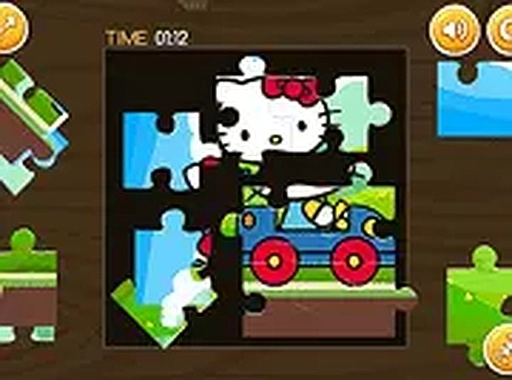
Each session begins with a choice: one of six illustrations, every one pairing a friendly character with a different vehicle. The range runs from a small car to a cheerful train. Once a picture is selected, its fragments appear scattered around a blank frame. The player drags each piece into position. When a fragment locks correctly, that part of the scene becomes visible, so the image fills in gradually rather than all at once. That incremental reveal is the game's main feedback loop, and it gives young players a clear sense of progress without timers or penalties.
Four Difficulty Tiers
The difficulty system is the most flexible part of the design. At the easiest tier, the picture splits into a small number of large pieces, which keeps the task manageable and lets beginners finish a puzzle early on. Higher tiers increase the piece count, demanding closer observation and more patience. Because the same six illustrations can be replayed at different tiers, the game scales with a child's growing skill instead of forcing a move to a different title. There is no separate mode to unlock; the choice is made before each puzzle.
Visual Style and Controls
The artwork uses bright, clean colors and simple shapes, so individual fragments are easy to tell apart. Character designs are expressive and friendly, and the vehicle themes keep each puzzle visually distinct. The game runs entirely in a web browser on desktop and mobile. On tablets and phones, touch input handles dragging; on larger screens, a mouse provides precision. No download or installation is required, which makes the activity available on any internet-connected device during a short break.
Compatibility
FAQ
Comments
Sign in to comment
You must be logged in before posting a review or rating.
No comments yet. Be the first to comment!








Editorial Notes