What players say
Geometry Dash Lite delivers a straightforward but addictive arcade experience. The core gameplay of jumping over obstacles is easy to understand, but each track requires careful timing to master. Practice Mode helps you learn without frustration, while Normal Mode rewards precision with a star rating. The music adds a nice rhythm layer that makes each run feel unique. It is a solid choice for players who enjoy skill-based games that respect their time.
About this game
Game Introduction
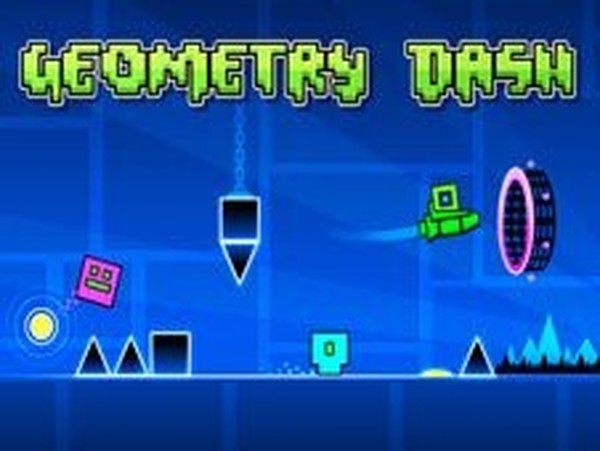
Geometry Dash Lite is a fast-paced online arcade game that challenges your timing and reflexes. You control a small square moving automatically through vibrant, obstacle-filled tracks. Your goal is to jump over spikes, triangles, and other hazards to complete each course. The game offers both Normal Mode and Practice Mode, allowing you to learn the layout or go for a perfect run. Each successful attempt earns you one to three stars based on your performance. Designed for all ages, this game provides a safe and engaging experience that tests your ability to stay in rhythm with the music and obstacles.
How to Play
To play Geometry Dash Lite, simply tap or click to make your square jump. The square moves forward on its own, so you only need to time your jumps to avoid obstacles. Watch for spikes, blocks, and moving barriers. In Normal Mode, one mistake sends you back to the start. In Practice Mode, you can place checkpoints to continue after a crash. Complete the track without failing to earn up to three stars. The controls are simple, but mastering the timing requires patience and practice. Start with Practice Mode to learn the course, then switch to Normal Mode for the full challenge.
Game Features
Fast-paced rhythm-based gameplay that syncs with background music. Two game modes: Normal for a standard challenge and Practice for learning. Star rating system that rewards performance with one to three stars. Colorful and simple visual design suitable for all ages. Easy one-tap controls that are accessible on desktop and mobile browsers.
Tips for Success
Practice regularly to learn obstacle patterns and improve your timing. Start with Practice Mode to familiarize yourself with each track without the pressure of restarting. Focus on the rhythm of the music, as it often aligns with the obstacles. Stay patient and avoid rushing; precise timing is more important than speed. Use short practice sessions to build muscle memory, and gradually increase your difficulty level as you improve.