What players say
FNF Pibby vs Corrupted Uncle Grandpa is a well-crafted rhythm mod that balances challenge and enjoyment. The music is engaging, and the visual style is bright and friendly. Gameplay requires precise timing, which improves with practice. It offers good replay value as you try to perfect each song. A safe choice for family gaming.
About this game
Game Introduction
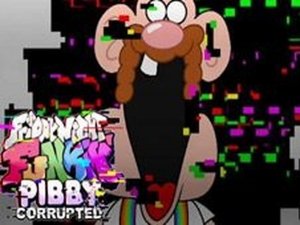
Pibby Rhythm Battle is a fan-made rhythm game inspired by the Friday Night Funkin' universe. In this musical showdown, you control the character Pibby as she faces a corrupted version of Uncle Grandpa. The core objective is to survive a rhythmic duel by matching on-screen prompts with precise timing. The game features colorful visuals and upbeat music that keep players engaged. It is designed to be safe for all ages, with no violent or inappropriate content. The open-source nature of the game encourages creativity and respect for the original creators.
How to Play
To play, watch the arrow symbols that float above the character's head. When they appear, press the matching arrow key on your keyboard. For example, if a left arrow shows up, press the left arrow key. Timing is important: hit the key exactly when the symbol aligns with the target area. Keep hitting notes correctly until the song ends to win. If you miss too many notes in a row, you lose and must restart the song. Practice improves your rhythm and helps you overcome the corrupted Uncle Grandpa.
Game Features
Family-friendly rhythm gameplay with catchy music that matches the action. Simple controls using only arrow keys make it easy to learn but challenging to master. The game is open-source and respectful of original creators, allowing for community-driven enhancements. Players can enjoy a quick and enjoyable rhythm challenge that sharpens timing and focus.
Tips for Success
Practice regularly to improve your sense of rhythm and timing. Focus on watching the arrow symbols carefully and pressing the corresponding key just as the symbol reaches the target. If you find a song difficult, try playing at a slower speed or repeating the same section until you feel comfortable. Staying relaxed and maintaining a steady pace can help you avoid missing notes. Remember that each missed note reduces your health, so consistency is key to completing the song.