What players say
SpongeBob Coloring Adventure offers a straightforward and enjoyable coloring experience for young children. The game features a clean interface with large buttons and a responsive palette. Kids can color at their own pace without pressure, and the undo button helps correct mistakes easily. The variety of scenes provides good replayability, and the ability to save or print artwork adds value. It is a reliable choice for parents seeking a safe, creative online activity for their kids.
About this game
Game Introduction
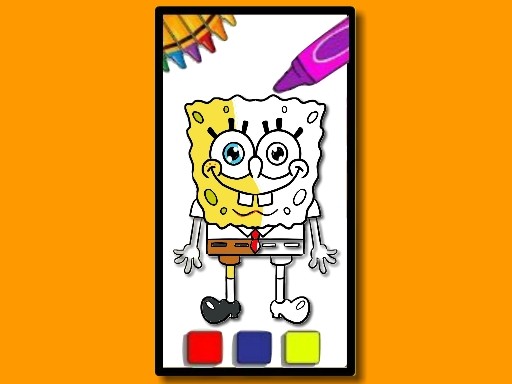
SpongeBob Coloring Adventure is a digital coloring game set in the underwater world of Bikini Bottom. Players can color scenes featuring popular characters like SpongeBob, Patrick, Squidward, and Sandy. The game provides a relaxing, no-pressure environment where children can express their creativity. With a simple interface and a wide palette of colors, it offers a fun and safe activity for young fans of the SpongeBob series.
How to Play
To play, select a character scene from the main menu. Once the picture loads, use your mouse or touch screen to pick a color from the palette on the side. Click or tap on the area you want to fill. You can adjust the brush size to cover large sections or add fine details. If you make a mistake, use the undo button to remove the last action. There is no time limit, so you can color at your own pace. When finished, you can save your artwork to your device or print it to share with family and friends.
Game Features
The game includes a variety of scenes featuring beloved SpongeBob characters. It offers a wide palette of colors and adjustable brush sizes for detailed coloring. An undo button helps correct mistakes easily. Players can save or print their completed artwork. The interface is intuitive and designed for young users, making it easy to navigate. The game works on both computers and tablets, and there are no time limits, allowing for stress-free play.
Tips for Success
Take your time and experiment with different color combinations to make each scene unique. Start with larger areas using a bigger brush size, then switch to a smaller brush for details. Use the undo button freely to try new ideas without worry. Save your finished artwork to show friends and family, or print it to display. Coloring regularly can help improve fine motor skills and color recognition in a fun, relaxed way.