What players say
Crazy Hospital Doctor offers a cheerful, low-pressure experience for kids. The colorful graphics and funny patient scenarios keep the game engaging. Controls are simple, making it accessible for young players. Levels gradually introduce new challenges, which adds replayability. It is a wholesome game that encourages problem-solving without any stressful time limits.
About this game
Game Introduction
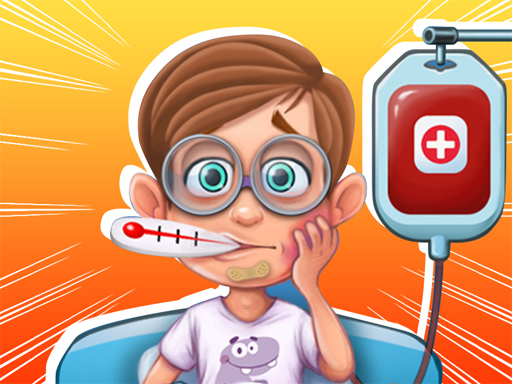
Welcome to Crazy Hospital Doctor, a lighthearted simulation game where players step into the role of a cartoon doctor. The goal is to treat a series of quirky patients with various silly injuries and illnesses, from a runny nose to a broken leg. With colorful graphics and simple controls, this game is designed for kids and anyone who enjoys playful medical adventures. The more you play, the more challenging and entertaining the cases become, all in a safe and family-friendly setting.
How to Play
Playing Crazy Hospital Doctor is straightforward and fun. First, meet your patients as they arrive with their unique problems. Use your mouse or finger to drag and drop medical tools like thermometers, bandages, and other equipment onto the correct spots. Follow on-screen hints to treat each patient correctly—for example, apply a bandage for a cut or put a cast on a broken arm. Each successful treatment earns points and unlocks new levels with even sillier patients. You can work at your own pace and enjoy the lighthearted fun.
Game Features
This game includes a variety of funny patients with distinct personalities, all set in a cheerful hospital environment with colorful cartoon graphics. Simple drag-and-drop controls make it easy for young players to pick up and play. Multiple levels offer increasing difficulty and new challenges, with each level introducing unique silly injuries to treat. The game combines humor with light problem-solving, encouraging creativity and quick thinking in a safe setting.
Tips for Success
To do well in Crazy Hospital Doctor, pay close attention to each patient's symptoms and follow the on-screen hints carefully. Practice using the tools efficiently to speed up your treatments and earn more points. As you progress, take your time with new, more complex cases to avoid mistakes. The more you play, the better you'll become at recognizing injuries and applying the right remedies quickly.