
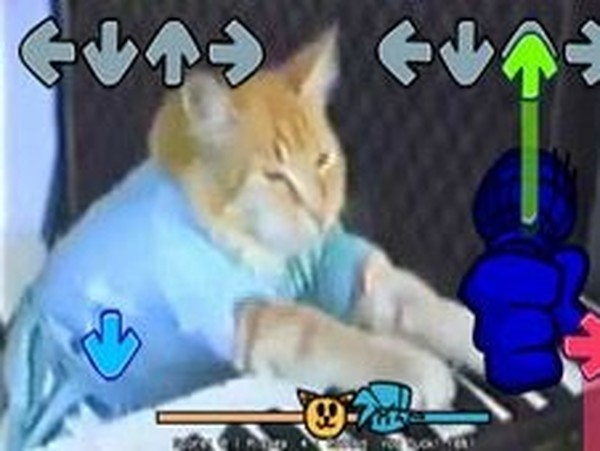
Keyboard Cat Beat Match
What players say
Keyboard Cat Beat Match keeps its scope tight: arrow keys, original music, and a single recognizable opponent. That restraint works in its favor for casual sessions, since there is no setup and no download. The main limitation is variety — the input does not confirm how many songs exist, so players who want a large track list should verify before committing. Best suited to rhythm newcomers and fans of the Keyboard Cat meme.
About
Rhythm Mechanics and Scoring
Keyboard Cat Beat Match is a rhythm game built around a single, focused interaction: arrow icons scroll upward on screen, and you press the matching arrow key exactly when each icon reaches its mark. Correct presses fill a progress bar that tracks how far you have advanced through the song. The system is unforgiving in one specific way — missing several notes in a row ends the current attempt, so consistency matters more than occasional perfect hits. That design pushes players to internalize timing rather than react note by note.
Music, Characters, and Presentation
The soundtrack consists of original music, and the character roster comes from work by Charlie Schmidt and the FNF team. The opponent is Keyboard Cat, the well-known internet meme, which gives each session a recognizable personality rather than a generic opponent. Tunes are family-friendly and melodic, which keeps the tone light even as note patterns become denser on faster tracks. Because the game runs directly in a browser with no download, sessions start quickly and fit short breaks as easily as longer practice runs.
Controls and Accessibility
Input is limited to the arrow keys, so there is no control scheme to learn before playing. That simplicity makes the game approachable for newcomers to rhythm titles while still offering enough timing demand to hold experienced players. The game is open-source, which means the community can contribute music, characters, or adjustments over time. Difficulty scales through the songs themselves rather than through menu settings, so choosing a track is effectively choosing your challenge level.
Improving Your Timing
Progress comes from pattern recognition, not raw speed. Repeated play builds muscle memory for common arrow sequences, and starting with slower songs lets you lock in the basic timing before faster tracks compress the reaction window. Watching individual arrows tends to hurt accuracy; tracking the beat and letting the arrows confirm your timing works better. Short, regular sessions beat long frustrated ones, and listening closely to the music helps anticipate notes before they reach the hit line.
Compatibility
FAQ
Comments
Sign in to comment
You must be logged in before posting a review or rating.
No comments yet. Be the first to comment!







Editorial Notes