
Offline Rogue Adventure Quest
What players say
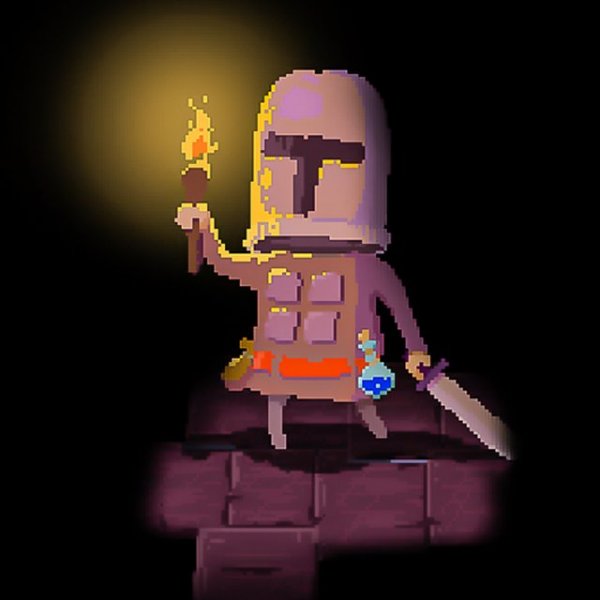
Offline Rogue Adventure Quest targets casual players who want a dungeon-crawling action RPG without installing anything. Its strongest feature is procedural generation, which keeps layouts unpredictable and supports repeated short sessions. The third-person view and backpack system are straightforward, and offline browser support across PC, mobile, and tablet adds convenience. The main limitation is that the input does not describe story, character progression depth, or multiplayer, so players seeking those elements should temper expectations.
About
Procedural Dungeon Structure
Each dungeon in Offline Rogue Adventure Quest is assembled through procedural generation, so the layout shifts every time you start a run. That design choice does more than add variety: it forces you to read unfamiliar spaces quickly and adjust your route instead of memorizing a fixed path. Dungeons also grow more complex as you advance, introducing tougher opponents and demanding sharper decisions about when to push forward and when to fall back.
Third-Person Exploration and Combat
You control a single character from a third-person perspective, which keeps the action readable while still showing enough of the environment to spot threats and openings. Opponents must be overcome to clear each dungeon, and a progress counter at the top of the screen tells you how many remain. Because the counter is always visible, you can judge whether a room is worth clearing or whether you should conserve resources and move on.
Lives, Equipment, and the Backpack
Your character has a fixed number of lives, displayed at the top left. Losing them all ends the run, so survival depends on treating each life as a resource rather than a safety net. The backpack icon opens a panel where you manage equipment collected during exploration. Since gear is found rather than purchased, thorough exploration directly affects how well you can handle later, harder dungeons.
Platform and Control Notes
The game is built with HTML5 and runs in a web browser on PC, mobile, and tablet, with full-screen support. Touch and mouse controls are both supported, so the same run works whether you are at a desk or on a phone. After loading, no internet connection is required, which makes it practical for short sessions without a stable network.
Compatibility
FAQ
Comments
Sign in to comment
You must be logged in before posting a review or rating.
No comments yet. Be the first to comment!






Editorial Notes